Excerpt from Unix and Linux System Administration Handbook
Excerpt from Unix and Linux System Administration Handbook: Performance analysis and tuning are often likened to system administration witchcraft. They’re not really witchcraft, but they do qualify as both science and art.
| Excerpt from Unix and Linux System Administration Handbook, 4th Edition. | |
By Evi Nemeth, Garth Snyder, Trent Hein, Ben Whaley Published by Prentice Hall ISBN-10: 0-13-148005-7 ISBN-13: 978-0-13-148005-6 | |
Performance analysis and tuning are often likened to system administration witchcraft. They’re not really witchcraft, but they do qualify as both science and art. The “science” part involves making careful quantitative measurements and applying the scientific method. The “art” part relates to the need to balance resources in a practical, level-headed way, since optimizing for one application or user may result in other applications or users suffering. As with so many things in life, you may find that it’s impossible to make everyone happy.
A sentiment widespread in the blogosphere has it that today’s performance problems are somehow wildly different from those of previous decades. That claim is inaccurate. It’s true that systems have become more complex, but the baseline determinants of performance and the high-level abstractions used to measure and manage it remain the same as always. Unfortunately, improvements in baseline system performance correlate strongly with the community’s ability to create new applications that suck up all available resources.
The most serious performance issues often lie within applications and have little to do with the underlying operating system. This chapter discusses system-level performance tuning and mostly leaves application-level tuning to others. As a system administrator, you need to be mindful that application developers are people too. (How many times have you said, or thought, that “it must be a network problem?”) Given the complexity of modern applications, some problems can only be resolved through collaboration among application developers, system administrators, server engineers, DBAs, storage administrators, and network architects. In this chapter, we help you determine what data and information to take back to these other folks to help them solve a performance problem—if, indeed, the problem lies in their area.
In all cases, take everything you read on the web with a cup of salt. In the area of system performance, you will see superficially convincing arguments on all sorts of topics. However, most of the proponents of these theories do not have the knowledge, discipline, and time required to design valid experiments.
Here are some rules to keep in mind:
Collect and review historical information about your system. If the system was performing fine a week ago, an examination of the aspects of the system that have changed is likely to lead you to a smoking gun. Keep regular baselines and trends in your hip pocket to pull out in an emergency. As a first step, review log files to determine if a hardware problem has developed.
Tune your system in a way that lets you compare the current results to the system’s previous baseline.
Always make sure you have a rollback plan in case your magic fix actually makes things worse.
Don’t intentionally overload your systems or your network. The kernel gives each process the illusion of infinite resources. But once 100% of the system’s resources are in use, the kernel has to work hard to maintain that illusion, delaying processes and often consuming a sizable fraction of the resources itself.
As in particle physics, the more information you collect with system monitoring utilities, the more you affect the system you are observing. It is best to rely on something simple and lightweight that runs in the background (e.g., sar or vmstat) for routine observation. If those feelers show something significant, you can investigate further with other tools.
Here are some specific things you can do to improve performance:
Ensure that the system has enough memory. As we see in the next section, memory size has a major influence on performance. Memory is so inexpensive these days that you can usually afford to load every performance-sensitive machine to the gills.
Double-check the configuration of the system and of individual applications. Many applications can be tuned in ways that yield tremendous performance improvements (e.g., by spreading data across disks, by not performing DNS lookups on the fly, or by running multiple instances of a popular server).
Correct problems of usage, both those caused by “real work” (too many servers run at once, inefficient programming practices, batch jobs run at excessive priority, and large jobs run at inappropriate times of day) and those caused by the system (such as unwanted daemons).
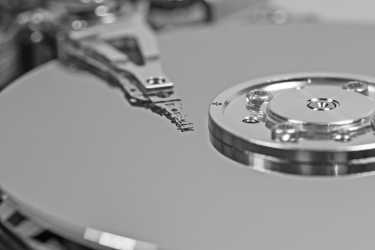
Eliminate storage resources’ dependence on mechanical operations where possible. Solid-state disk drives (SSDs) are widely available and can provide quick performance boosts because they don’t require the physical movement of a disk or armature to read bits. SSDs are easily installed in place of existing old-school disk drives.
If you are using UNIX or Linux as a web server or as some other type of network application server, you may want to spread traffic among several systems with a commercial load balancing appliance such as Cisco’s Content Services Switch (cisco.com), Nortel’s Alteon Application Switch (nortel.com), or Brocade’s ServerIron (brocade.com). These boxes make several physical servers appear to be one logical server to the outside world. They balance the load according to one of several user-selectable algorithms such as “most responsive server” or “round robin.” (These load balancers also provide useful redundancy should a server go down. They’re really quite necessary if your site must handle unexpected traffic spikes.)
Organize hard disks and filesystems so that load is evenly balanced, maximizing I/O throughput. For specific applications such as databases, you can use a fancy multidisk technology such as striped RAID to optimize data transfers. Consult your database vendor for recommendations. For Linux systems, ensure that you’ve selected the appropriate Linux I/O scheduler for your disk (see page 1102 for details).
It’s important to note that different types of applications and databases respond differently to being spread across multiple disks. RAID comes in many forms; take time to determine which form (if any) is appropriate for your particular application.
Monitor your network to be sure that it is not saturated with traffic and that the error rate is low. A wealth of network information is available through the netstat command, described on page 840. See also Chapter 20, Network Management and Debugging.
Identify situations in which the system is fundamentally inadequate to satisfy the demands being made of it. You cannot tune your way out of these situations.
These steps are listed in rough order of effectiveness. Adding memory and balancing traffic across multiple servers can often make a huge difference in performance. The effectiveness of the other measures ranges from noticeable to none.
© Copyright Pearson Education. All rights reserved.