
Wireless IT support staff spin tales of woe from bad setups
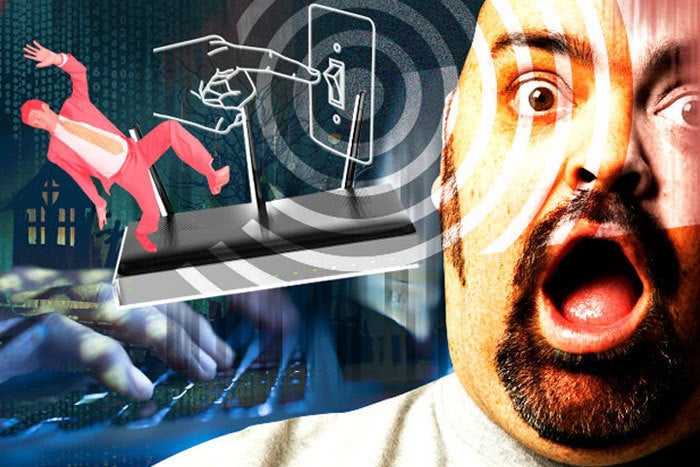
Network World has been covering network technologies for 30+ years now, and sometimes we assume that everyone knows what they’re doing when it comes to installing, configuring and using this stuff. But then we run across some examples where consumers and businesses are still not completely familiar with the gear.
Such is the case of Wi-Fi (wireless LAN) technology. Wireless equipment vendor Linksys recently asked members of the Spiceworks community (mainly VARs/MSPs and solution providers) about some of their “top Wi-Fi horror stories.” With more than 150 responses to the inquiry, it became clear that many people still have some learning to do when it comes to this equipment and technology. Here are some of our favorite mistakes and stories:
BAD LOCATIONS
A lot of people don’t realize the basics of how wireless signals or radio waves work. Many of the stories indicated this lack of knowledge when IT help was troubleshooting bad coverage or performance:
“I was at a client’s new house and their chief complaint was that they had no Wi-Fi signal in any of the bedrooms and barely anything in the living room. Turns out they were using the ISP-supplied modem/router combo, which the ISP installed in the master bedroom closet – literally the farthest point in the house from everything else.”
“… the last company that designed the wireless for our high school didn’t exactly do the best of jobs. The high school was built as a bomb shelter for world wars, and therefore had reinforced concrete with rebar metal rods inside. They designed the access points to be out in the halls to service about four to eight rooms apiece. Signal quality getting into classrooms was definitely not stellar for 20 to 160 devices trying to access each access point. To top it off, for one room, they put an access point in our attic space to service a large room beneath it, through the reinforced floor, and didn’t tell anybody it was up there.”
“One of the founding partners asked us to take a look at her house because she’s constantly getting disconnected from wireless. She says it switches to another network so I scan and find there is indeed another network. It took me forever but finally I found an old repeater in a closet that her device(s) still remembered and would connect to it, but the repeater wasn’t connected to anything else.”
“At my past job, the tech team decided to place an old refurbished Wi-Fi router on the other side of the 300-yard long warehouse, opposite of the side where the management offices were. When they started asking me why the Wi-Fi was incredibly slow, I told them it was because corporate or the IT department hated us.”
POWER TO THE PEOPLE
Just as important as the location for the router or access point is powering the device, and seeing who has access to the power. Time to get out the sticky notes that say “DO NOT TURN OFF POWER!”:
“Got a call from an upset customer with a tech onsite. ‘We’ve had a tech out here to fix this multiple times! Every time they are here, the Internet works fine, but as soon as they leave, everything stops working!’ The customer hands the phone to the tech and leaves the room. Upon leaving the room, he turns off the room light by habit. The tech, still examining the equipment, watches as all the equipment loses power as soon as the lights go out… The power strip with everything plugged into it was plugged into a wall jack controlled by a light switch.”
“For the first few days [at a new job], I monitored the wireless connection non-stop and had no issues. Soon after that I was watching the wireless and it dropped for several minutes and then was back up. This cycle of stability continued for weeks before I finally figured out what was happening. One of the guys in the shop only periodically worked in the area of the shop where the wireless access point was plugged in, and he would unplug it to run his tools, then plug it back in when he was done. He had no idea that he was unplugging the wireless.”
PASSWORD MISTAKES
It’s not just having passwords that are default like “password” or “1234”, many of these password mistakes make you wonder about the security of the company at large:
“When I first started at my company I found out that the Wi-Fi password was the sysadmin password and that it was given out to anyone who asked for Wi-Fi access (including guests). I changed that immediately.”
“[We have] different SSID and passwords for different parts of the building … it’s not a big building.”
GUEST ISSUES
Guest network access seems like a good idea when you’re trying to be polite to visitors and customers, but a lot of problems arise when the guests try to take advantage of the situation or things get misconfigured. Here are some of our favorite horror stories in this area:
“The CEO wanted us to set up a conference room for his fantasy football draft – for ‘Client-relationship building.’ We were told about five to six people would be coming and figured the Wi-Fi could handle it (guest access). Then 20 people showed up, all with their own laptops. We scrambled and got hardwire connections for most of them.”
“We had a client come in and needed to use our guest Wi-Fi, but it wouldn’t connect. Our entire HQ was having issues connecting to the guest Wi-Fi. Turned out, the DHCP pool was depleted.”
OTHER PROBLEMS:
- Companies using consumer-grade equipment meant for homes rather than businesses.
- Putting way too much traffic on a single access point.
- Interference from competing channels / equipment / high-density areas.
Got your own tale of woe for us that beats one of these? E-mail me and we’ll post follow-up stories!