If you do a lot of work on the Internet or have several ISP connections, BGP looking glasses can be a great tool for troubleshooting and general information. Looking glasses give you a view into the BGP tables and routing tables of ISPs. This can be very helpful to understand how your routes are being handled, advertised, altered, blocked, etc.
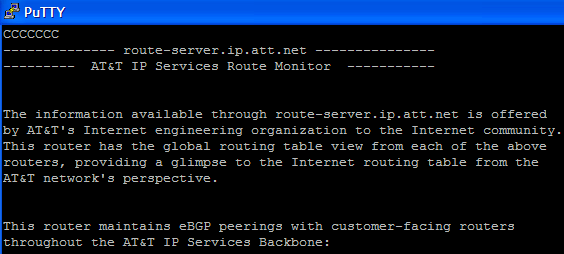
The best looking glasses are the ones that are actual routers (with read-only public access). These are Cisco routers that anyone can telnet to and run “show” commands. Others are actual servers that understand Cisco IOS “show” commands. One of my favorite is AT&T’s “IP Services Route Monitor”.
This gives a complete view of AT&T’s Internet BGP table. It is a very nice thing to see, even if AT&T is not your ISP. For example, here is AT&T’s BGP entry for www.cisco.com:
This can be very helpful when troubleshooting Internet routing issues; be it for your website, reaching remote websites, VPN user problems, or GRE tunnels between your sites.
There are several other ISPs that offer telnet access to their route servers also. Cisconet.com has a very nice interactive world map showing the route servers’ general location. Just click on the icons to launch a telnet window.
Many other ISPs provide web form access to looking glasses. bgp4.as provides a very extensive list of BGP Looking Glasses.
Another good BGP tool is the BGP Autonomous System Number Query Tool. This is a nice tool to find out who owns a BGP AS number. For example, say you are looking at the BGP path for 8.2.5.0/24 in the AT&T route server and you see BGP hops 3356 and 7911.
The BGP Autonomous System Number Query Tool can tell you exactly who AS 3356 and AS 7911 are. In the URL of your web browser, simply replace whatever AS number is there with the number you want to search for and it ENTER:
In this case 3356 is Level3. 7911 is also Level3.
All of these are handy tools to have in your bookmarks. I have used them extensively in the past to troubleshoot Internet routing issues, especially to international locations.